BROOKLYN
245 Clinton Ave., Brooklyn, NY 11205
Main: 718.940.5300
Admissions: 718.940.5800
Fax: 718.940.5680
LONG ISLAND
155 W. Roe Blvd., Patchogue, NY 11772
Main: 631.687.5100
Admissions: 631.687.4500
Fax: 631.687.4539
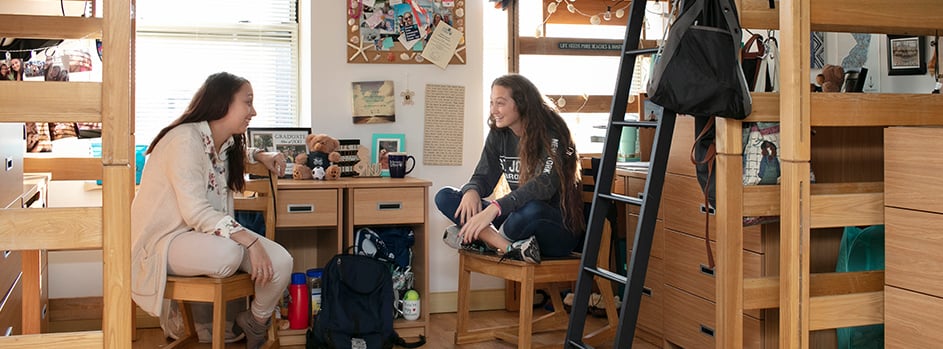
This housing application helps identify your preferences so that you can make the best roommate connections possible. Although we encourage you to consult with family and friends, it is important that you make the final decision on your housing preferences and campus experience. The guide below is intended to give you some tips on how to answer each section on the application. If you have any questions, please feel free to contact the Residential Life Staff at [email protected].
Accepted students starting their residency in August should complete a housing application the prior spring. Accepted students starting their residency in January should complete a housing application the prior fall.
For specific dates regarding when the Housing Application will open each semester, please monitor your SJNY email.
You must access your SJNY email account in order to gain access to eRezLife — our online housing platform.
Navigate to the eRezLife Homepage.
Make sure you are logged into Google Suite via your SJNY email address. This will be the only way you can properly access our portal.
Helpful Tips:
Once logged in, click the green APPLY NOW. Answer the short application questionnaire, regarding your preferences. Please follow the information below.
Section 1: Review Your Profile Information
This section allows you to review information loaded from your profile in Colleague. If you find information here that does not match your current information, please follow the steps at the top of the application section to update this information.
Section 2: Emergency Contact Information
This section allows you to input both general emergency contact information and confidential emergency contact information.
Please note that your CONFIDENTIAL emergency contact is separate and apart from your GENERAL emergency contact information. Your CONFIDENTIAL emergency contact would only be utilized in the event you are ever considered to be a missing student.
In order to comply with the federally mandated Missing Student Protocol, “St. Joseph’s University, New York asks that students provide confidential emergency contact information for an individual to be contacted by University officials if a student is determined to be missing. Regardless of your age, St. Joseph's University, New York will abide by the federal mandate and notify a custodial parent or guardian if your health and safety are a potential issue, as in the case of a missing person’s report. Law enforcement authorities will also be notified by a representative from SJNY Security no later than 24 hours after the filing of the report.”
Section 4: About You & Your Roommate Preferences
This section lets us know about you and your roommate preferences.
Please make sure you, the student, are completing this section truthfully and openly as it does help us provide the best match possible when finding you a roommate.
Once you have completed each section in the application you should move on to the confirmation section.
You must open, read and agree to the attestation file that is included in the application before you submit your application. Once your application is officially submitted, there will be a pop-up box that will provide you with a confirmation number and indicate that a confirmation email was sent to the email account associated with your eRezLife account.
Go to “My roommate profile” on the blue task bar on the left side (or the drop-down menu if you are using a smart phone) and complete and turn on your profile. My roommate profile is a roommate search tool to help connect you with possible roommates.
If you are not requesting a specific person to be your roommate, but instead will allow Residential Life to utilize your preferences to match you with a roommate, simply exit the website.
If you are requesting a specific person to be your roommate follow these steps:
Once you complete your Housing Application, Residential Life staff can prepare to make a room assignment for you. Please check your SJNY email frequently for updates.
St. Joseph's University, New York is committed to providing reasonable housing accommodations for students with documented medical conditions or disabilities. Requests are reviewed on a case-by-case basis by Accessibility Services, with final determinations coordinated through Student Life and Residence Life. Accommodation decisions are based on supporting documentation from a qualified medical provider and are subject to established deadlines, housing availability, and University resources.
Please consult the Frequently Asked Questions for more information that can help with your transition or contact Residential Life at [email protected].
Get Social
Get Social